

Pages
The Pages tab shows every page a visitor opened, in order, grouped by session. It is the same idea as Event Activity, narrowed to page views alone.
Use it to follow a visitor's path through your store without the cart and product events in the way.
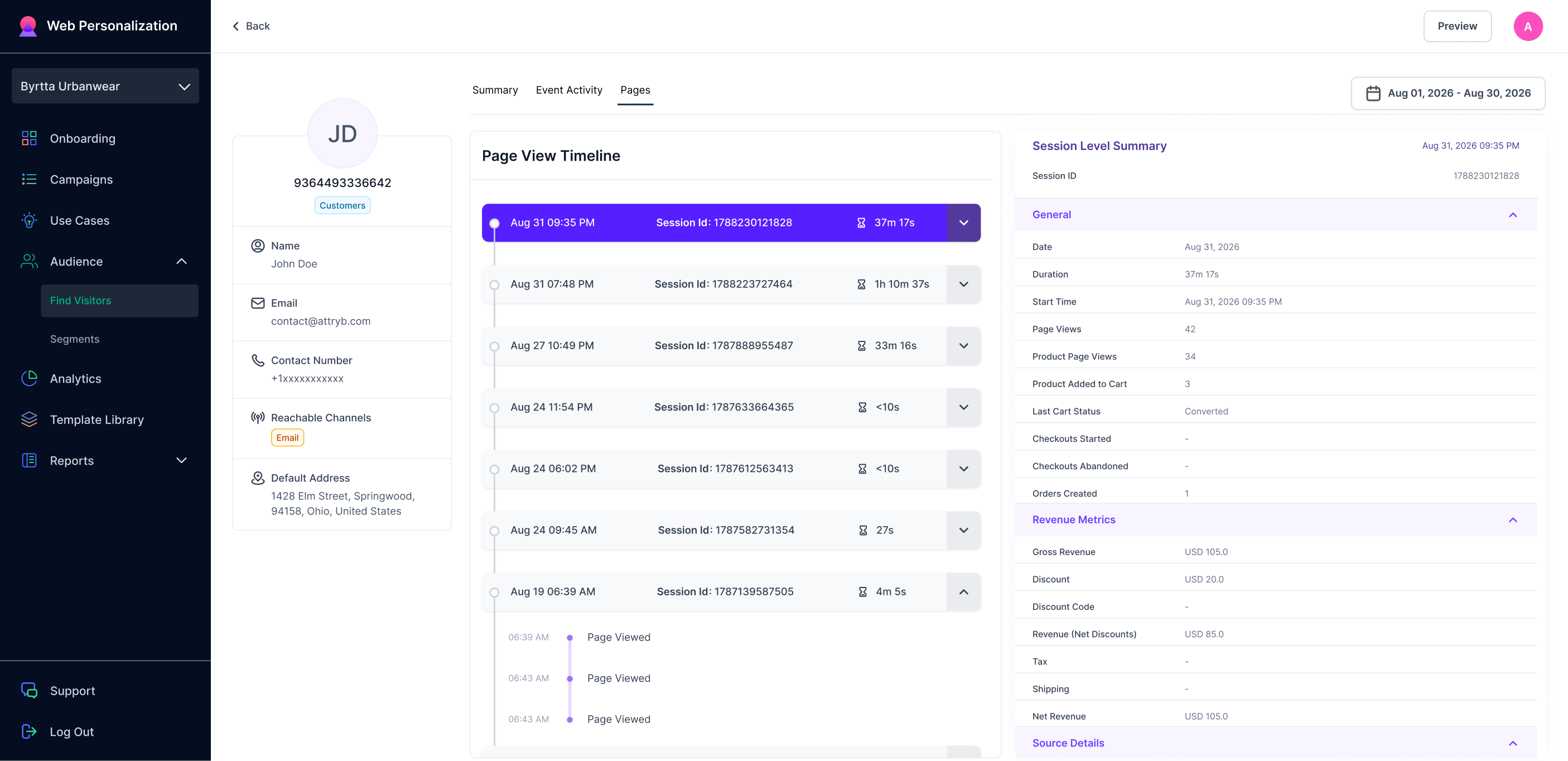
Visitor's page view history
Page View Timeline
Sessions are listed newest first. Each session header shows the start date and time, the Session ID, and how long it lasted.
Click a header to open or close a session. Inside, each page view is listed with the time it happened.
A session with one page view and a duration under ten seconds is someone who bounced. A session with twelve page views over four minutes is someone who was looking for something.
Session Level Summary
The panel on the right is the same one described in Event Activity. Click a session to load its details: General, Revenue Metrics, Source Details, Visitor Device Details, and Location Details.
Date range
The date picker at the top right limits which sessions appear.
Updated about 1 month ago