

Set up on Shopify
Four steps connect your Shopify store to Attryb. They take about ten minutes.
You only do this once. These four steps apply to every Attryb product, so if you add another later, they'll be marked as already done.
Select Get Started under Personalize on the overview screen to start onboarding.
What you'll need
- An Attryb account. Create one here before you start.
- A Shopify store and an account that can install apps and edit your theme.
- Shopify Plus, if you want to use checkout use cases. Everything else works on any Shopify plan.
Step 1: Install the Attryb Personalize app
Install the Attryb Personalize app from the Shopify App Store.
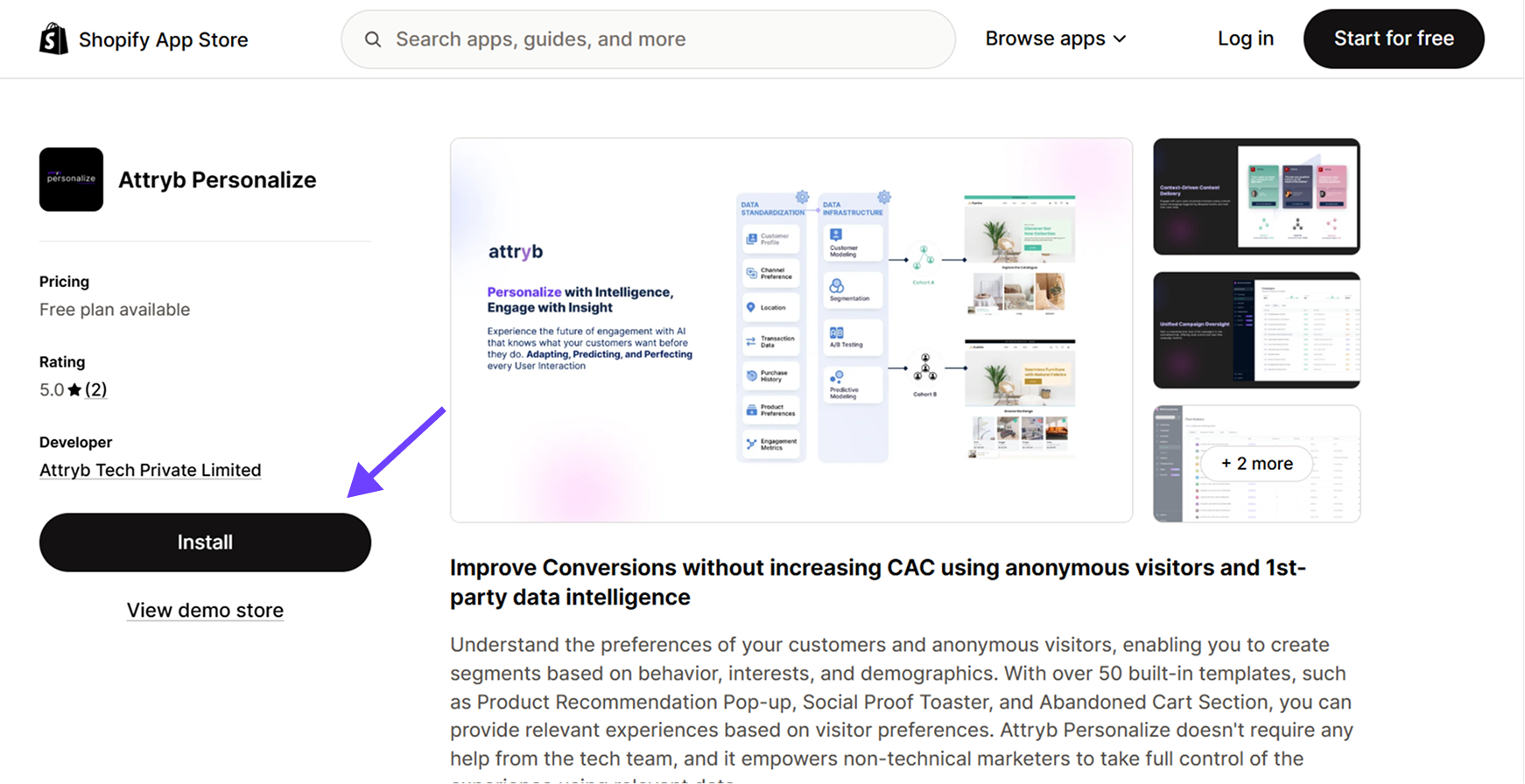
Attryb Personalize Shopify App Store page
This connects your store to Attryb. It lets Attryb read your customer data, track visitor behavior, and show personalized content on your store.
Step 2: Enable the app embed
Turn on the Attryb Personalize app embed in your Shopify theme.
- Go to your Shopify theme editor.
- Select App embeds.
- Enable Attryb Personalize.
- Click Save.
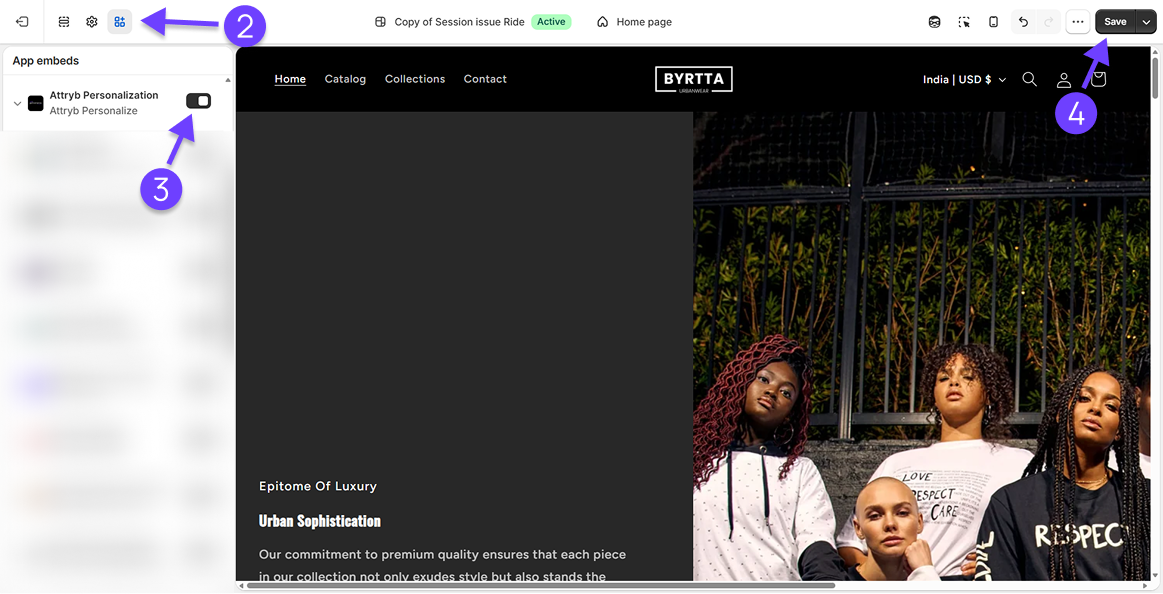
Use Go to Shopify on the onboarding screen to jump straight there.
The embed is what lets Attryb read customer events from your store. Those events feed every Attryb product you use, so you enable it once here, and it serves the rest.
Step 3: Add the Attryb pixel
The pixel captures what visitors do on your store. Without it, Attryb has nothing to personalize with.
-
Go to Shopify admin → Settings → Custom Events. The onboarding screen has a link that takes you straight there.
-
Add a new custom pixel.
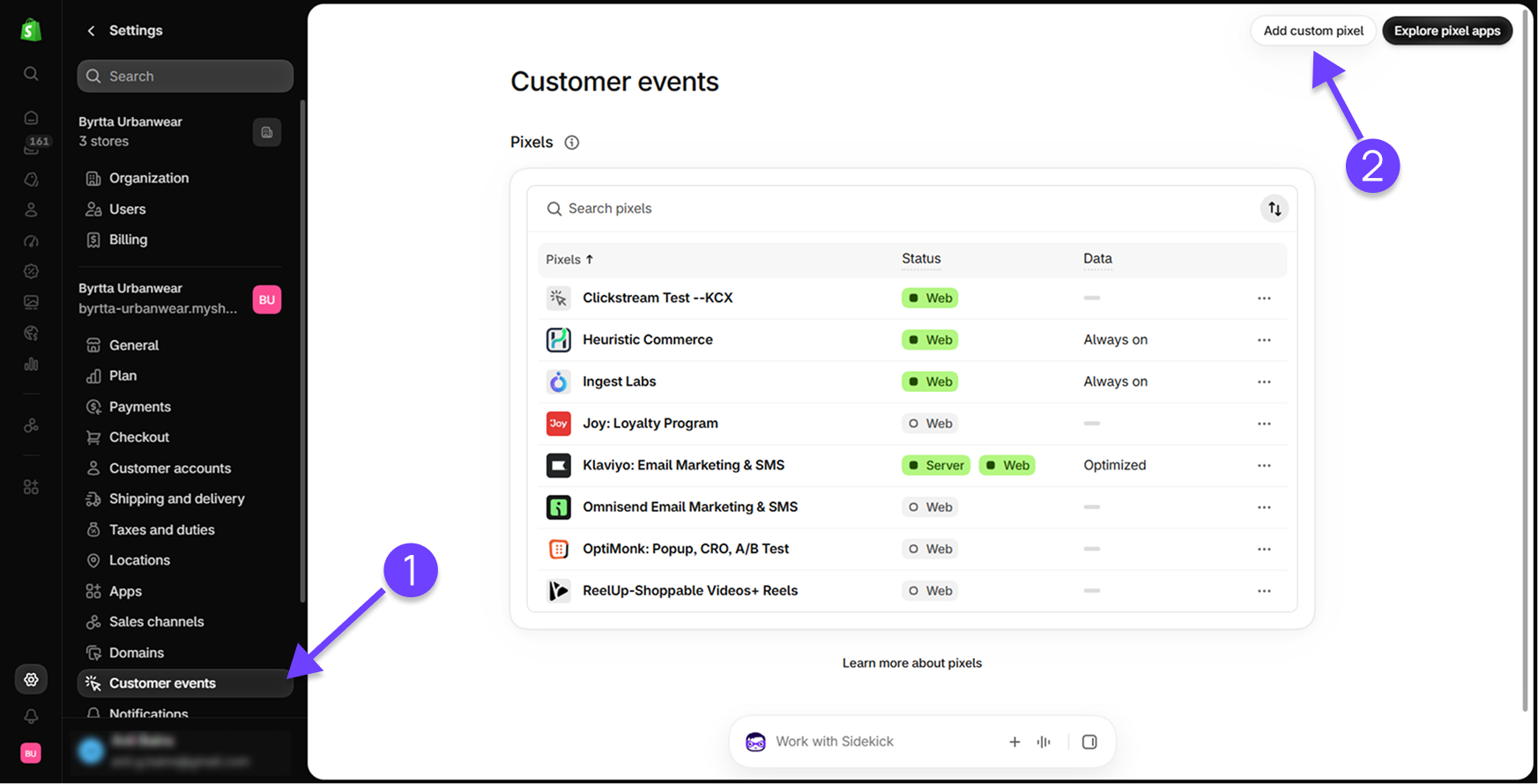
-
Name it
Attryb-trackingand click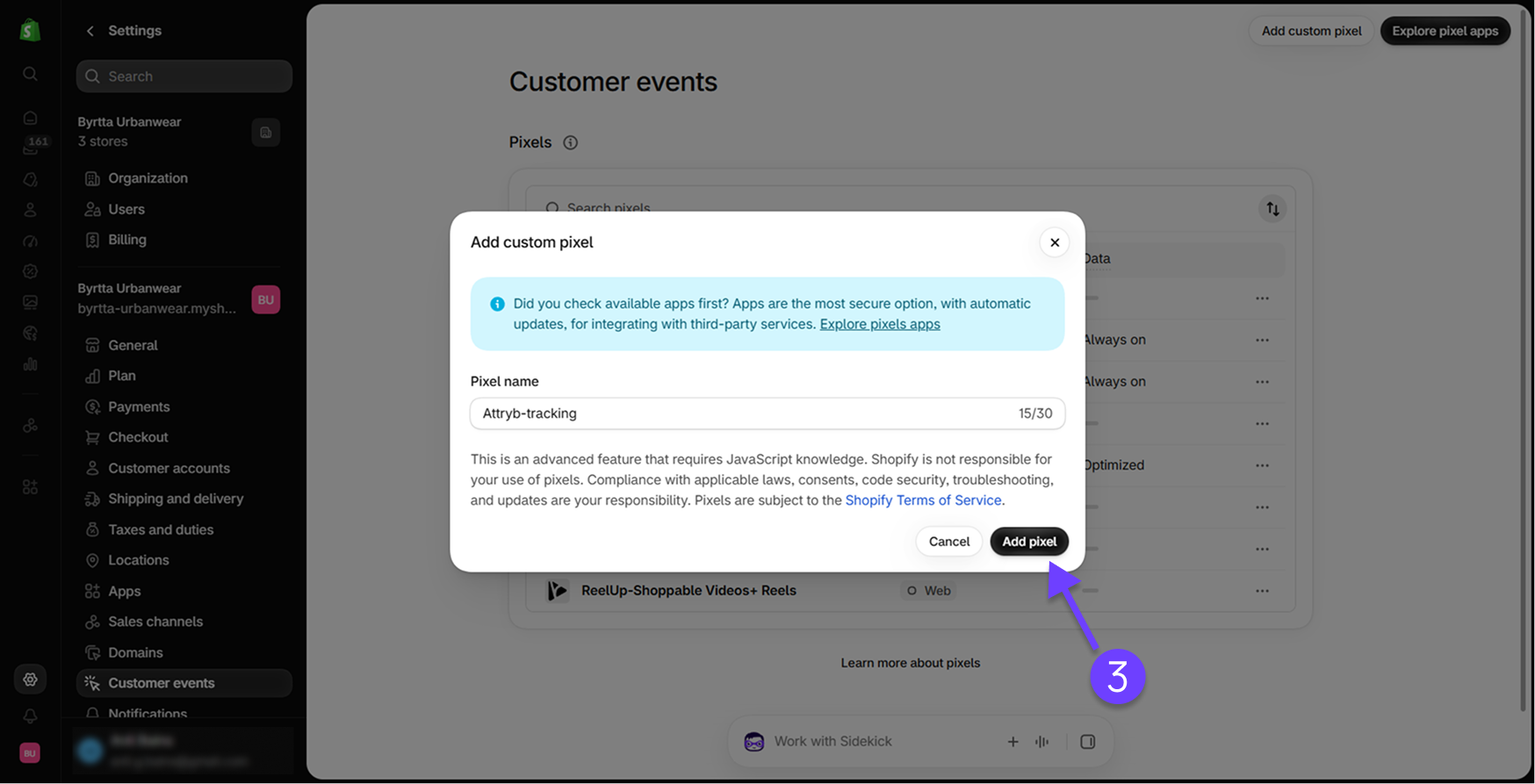
-
Copy the code from the onboarding screen using Copy Code Snippet, and paste it into the pixel.
-
Click Save to save the pixel code.
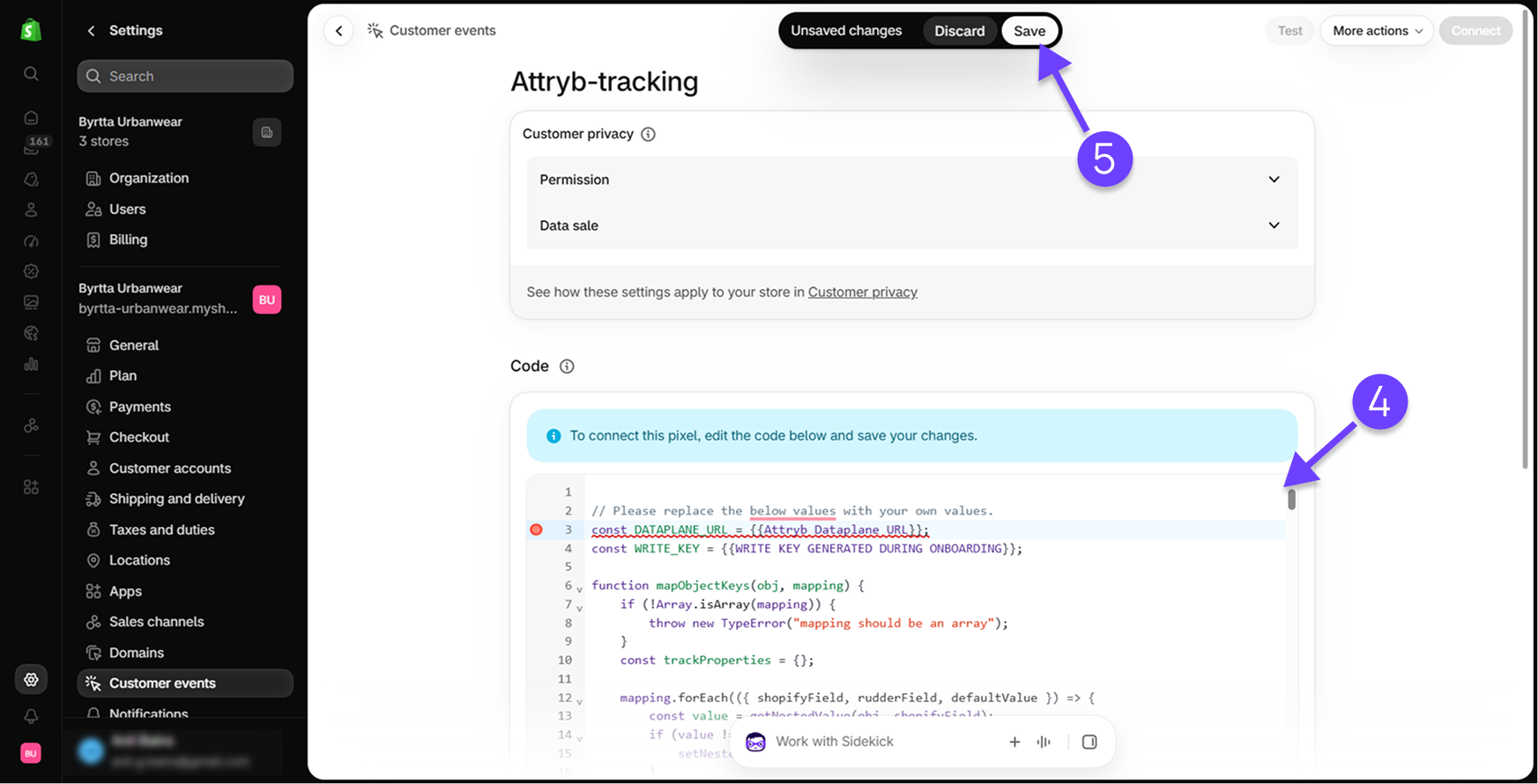
-
Click Connect in the top right, then click it again in the confirmation pop-up to start sending data to Attryb.
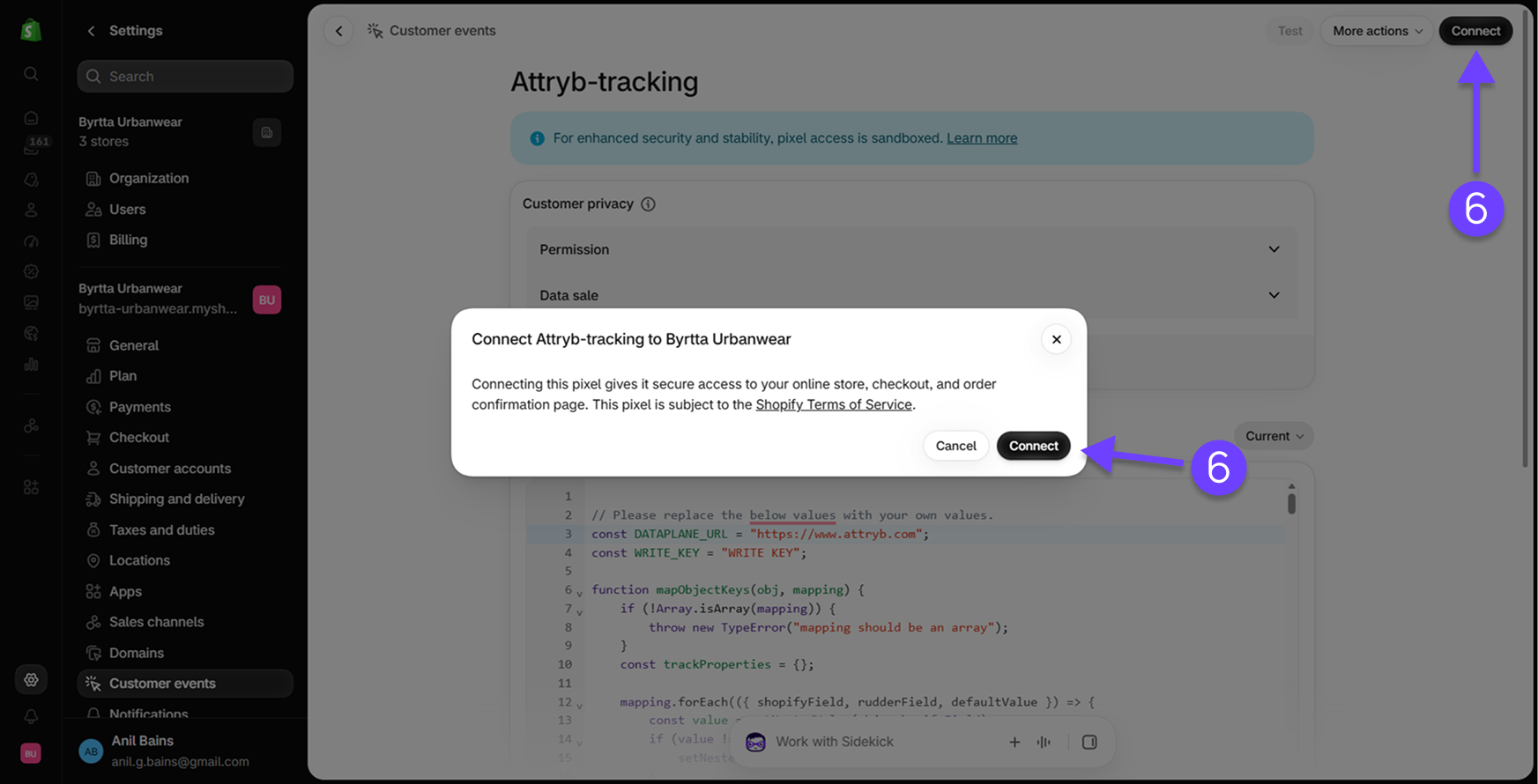
-
Back in Attryb, click Verify Pixel. Once we verify the pixel is sending data, click Finish to complete onboarding.
Step 4: Choose a plan
Pick a plan for each product you want to use and approve the charge in Shopify.
You can choose plans across the products you want to use, or just the one you are setting up now. Once a plan is active, you will not need to subscribe again when you onboard that product.
Start personalizing
Let's Get Started: The onboarding overview becomes available once you complete all four steps. It takes you into Attryb Personalize.
What's next
Launch your first campaign walks you through building an abandoned cart popup end to end, with every setting filled in.
If you would rather understand the pieces first, How it works covers them in four ideas.
Updated about 1 month ago